
After A2X Goes Live, Who Checks the Amazon and Shopify Account Mappings?
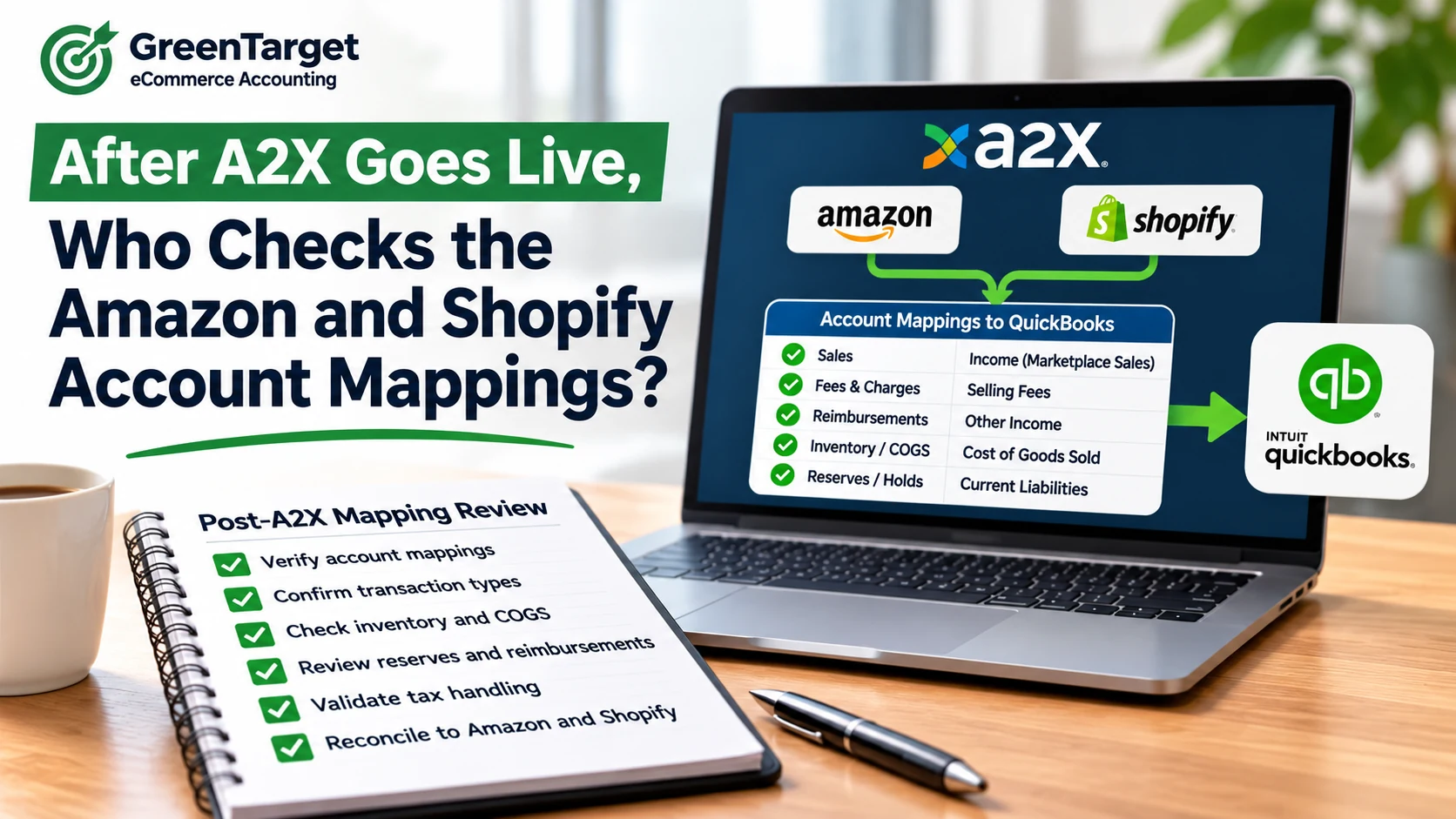
Your Amazon and Shopify settlements arrive in QuickBooks. The bank feeds match. Nobody is spending hours manually entering sales and fees anymore.
That sounds like the accounting problem has been solved.
But what happens when an Amazon reserve is mapped to an expense account? Or a Shopify PayPal transaction is posted to ordinary sales instead of the processor clearing account? The deposit can still match while the balance sheet and profit report tell the wrong story.
Automating a settlement is a useful step. Reviewing what the automation posts is what turns it into accounting you can rely on.
A2X follows account mappings. It does not approve your accounting policy.
A2X connects a sales channel with an accounting platform such as QuickBooks Online and summarizes marketplace or store transactions by type. Its Accounts and Taxes settings determine which ledger accounts receive the amounts. Assisted setup can suggest or create accounts, and a business can also map to an existing chart of accounts.
That reduces repetitive work. It does not mean the suggested ledger accounts match every business’s reporting structure, tax treatment, ownership arrangements, or inventory process. A2X itself recommends working with an accountant when configuring Shopify mappings because the choices affect financial reporting.
For an established multichannel seller, the critical question after setup is not just whether A2X is connected. It is whether the mapping rules, posted entries, clearing balances, and monthly financial statements still make sense together.
The bank deposit can match even when the mapping is wrong
Consider a simplified Amazon settlement with $20,000 in customer sales, $2,500 in marketplace fees, and $1,500 held in reserve. Ignore refunds, taxes and other adjustments in this example.
Under those assumptions, the net bank deposit is $16,000.
A correct settlement summary should distinguish the sale, the fees, and the amount still held by Amazon. If the $1,500 reserve is mistakenly mapped as an additional expense, QuickBooks may still record the $16,000 payout correctly. But the profit and loss statement would carry an expense that is not actually the cost of that reserve, while the balance sheet would fail to explain money still being held.
Amazon’s settlement reserve is a hold-and-release of funds, rather than an additional sale or expense. That is why A2X’s documentation describes a separate reserved-balance account.
This hypothetical example is not a GreenTarget client result or a universal journal-entry template. It illustrates one control failure: matching cash does not prove every settlement line went to the correct account.
Six mappings a growing eCommerce business should revisit
1. Marketplace sales, discounts and refunds
Check where gross product sales, shipping revenue, promotions, refunds, and other adjustments appear. A single account may be sufficient for some stores, while others need meaningful channel or marketplace breakdowns.
The goal is not to create the maximum number of accounts. It is to preserve the information management needs while keeping the general ledger consistent with source reports. Also check how cutoff dates affect activity crossing month-end.
2. Amazon fees, reimbursements and reserved balances
Marketplace commissions and fulfillment charges normally require expense classification consistent with their nature. Inventory reimbursements need separate consideration from sales to customers, especially when the related inventory loss has accounting consequences.
Amazon reserved balances are different again. A2X documents them as money held and later released, with a separate balance-sheet mapping. Reviewing these categories prevents an ordinary reserve movement from being mistaken for an operating expense or new revenue.
3. Shopify Payments and third-party gateway clearing
Shopify Payments payouts generally have a direct deposit trail. Third-party gateways, such as PayPal or other processors, can require their own clearing accounts because funds are collected, fees are deducted, and bank deposits occur at different times.
A2X recommends dedicated clearing accounts for third-party gateways. When transactions from multiple providers are combined in one unexplained account, month-end investigation becomes much harder. Each significant clearing balance should tie to an identified amount still in transit, fees awaiting posting, or another supported reconciling item.
4. Gift cards and customer liabilities
An amount received for a paid Shopify gift card is not necessarily revenue earned from delivered merchandise. A2X has separate categories for gift-card purchases and redemption activity that can be mapped to a liability account.
The ongoing review should confirm that a change in the product setup, payment gateway, or accounting mapping has not sent these balances back into ordinary sales. Store credit, promotions, and paid gift cards should not automatically be treated as interchangeable.
5. Sales tax, VAT and GST mapping
Taxes collected by a marketplace, taxes payable by the seller, and taxes included in certain fees can have different financial-reporting treatment. A2X offers country-specific tax mapping features and assisted setup, but the correct configuration depends on the business, applicable rules, and the accounting system.
An accounting review should verify whether tax transactions are being classified consistently and whether the chosen QuickBooks tax-module settings fit the reporting process. Complex registration, nexus, VAT and filing determinations should be confirmed with the appropriate tax specialist rather than inferred from a software default.
6. COGS and inventory valuation
Settlement entries account for payment-channel activity. They do not, by themselves, prove that the business’s physical stock, inventory cost, and cost of goods sold are correct.
If the business uses a separate inventory system or an A2X COGS workflow, those postings need their own checks. Otherwise, owners can receive a clean-looking marketplace P&L while the inventory asset still contains old costs, unrecorded adjustments, or duplicated COGS.
Who should own the review?
The person preparing entries can verify that A2X posted a settlement and matched it to the bank. A reviewer needs to evaluate whether the entries belong in the right accounts, whether significant balances are supported, and whether the financial reports make economic sense.
In a small company, those responsibilities may sit with the owner and an external accountant. In a larger store, the bookkeeper may prepare the reconciliation while a controller or accounting manager reviews exceptions and signs off. The structure can vary. The important thing is that responsibility is named and evidence is retained.
A practical controller review should document the specific transaction type, current mapping, expected accounting treatment, source evidence, QuickBooks account, financial impact, and action taken. If a correction is needed, it should be supported, dated, and verified rather than entered as a plug.
A practical first-30-days and recurring review
Start with a recent Amazon settlement and a recent Shopify payout, including any gateway that operates outside Shopify Payments.
First, open A2X’s Accounts and Taxes mapping and compare it with the current QuickBooks chart of accounts. Identify default or catch-all mappings, unusual tax settings, and transaction types that have started appearing since the original setup.
Second, use A2X’s payout review to inspect the actual transaction details before sending or changing entries. Compare the mapped amounts with the posted QuickBooks journal, including any auto-posted settlements. Check that earlier manual entries or other integrations have not already recorded the same activity.
Third, reconcile relevant QuickBooks accounts: bank, Amazon reserved balance, Shopify and processor clearing, gift-card liability where applicable, and material sales or fee accounts. Investigate unexpected balances and movements rather than judging only whether the bank-reconciliation difference is zero.
Fourth, review one full month of financial reporting. Ask whether reported sales reconcile to the source activity on a documented basis, fees are classified consistently, liabilities and reserves have support, and inventory/COGS is reviewed separately.
Finally, create a monthly exception register. Record the issue, evidence, financial impact, owner, proposed treatment, and resolution status. Review mappings again when a new channel, payment method, country, product flow, or accounting integration is introduced.
Be careful when changing a mapping after entries have been posted
A2X documents that mapping and questionnaire changes can reset customized settings. New accounting accounts may require refreshing the connection cache, and unposted settlements may need to be refreshed to pick up revised mappings.
A changed rule is not proof that all historical QuickBooks entries have been corrected. Before reposting or adjusting prior periods, determine which entries already exist, whether they were reconciled, and the proper correction method. Preserve the audit trail and avoid duplicate journals.
Auto-posting can be useful once the setup is validated. It also means a misclassification can recur until someone notices. The frequency of review should match the business’s transaction complexity and risk.
What an owner should be able to ask at month-end
Did the Amazon and Shopify deposits reconcile? Which clearing and reserve balances are still open? Were there new transaction types? Have refunds, fees, gift-card liabilities, and tax-related items been reviewed? Is COGS supported by inventory records? Were any mappings changed, and were affected entries checked?
Those are more useful questions than simply asking whether A2X is working.
Automation should remove repetitive entry, not remove accountability.
GreenTarget helps established eCommerce businesses review marketplace settlements, QuickBooks mappings, inventory and COGS, monthly reconciliations, and financial reports. For businesses with an existing bookkeeper, controller-level oversight can help investigate exceptions and make the monthly close more reliable.
If A2X is already running but you are not confident in the numbers, review what it posts before making the next operating decision.
Explore GreenTarget Monthly eCommerce Accounting for help reviewing the accounting behind your Amazon and Shopify reports.
Sources: A2X mapping rules, Shopify clearing account guidance, and Amazon transaction categories.