
Your Shopify Gift Cards Bring In Cash. Is QuickBooks Calling It Revenue Too Soon?
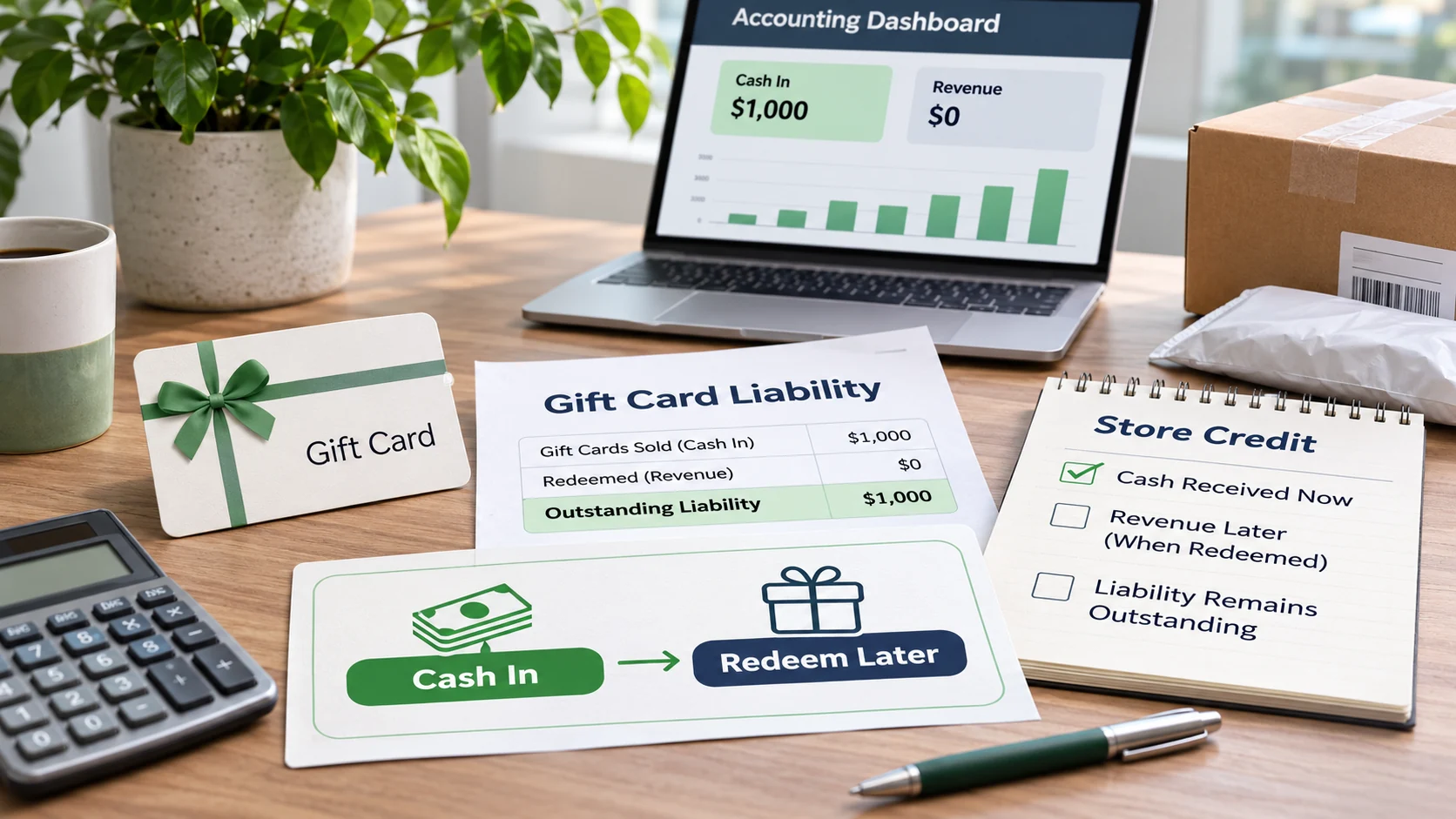
A customer buys a $100 gift card. Shopify collects the payment. The money reaches your bank account. From a cash perspective, the transaction looks like a good day.
But what did your business actually sell?
Not a product that has already been delivered. It sold the right to buy something later. If that $100 is booked as product revenue immediately—and the eventual purchase is recorded as revenue again—your books can tell a story that is too good to be true.
That is not how Shopify’s own sales reports normally work. Shopify separates gift-card product purchases from regular product sales. The problem often appears when deposits, settlement entries or integration mappings are posted into QuickBooks Online without checking what they represent. [1][3]
For a growing Shopify business, this is more than a technical accounting detail. It affects the profit report you review, the obligations sitting on your balance sheet, and the cash you think is available to spend.
Cash received is not always revenue earned
When someone buys a gift card, the business receives consideration today in exchange for an obligation to provide goods or services later. For a typical paid gift card, that obligation is recorded as a liability until the relevant goods or services are provided, subject to the applicable accounting framework and circumstances. Intuit’s QuickBooks Online guidance explicitly uses a liability account for gift certificates. [3]
When the customer later uses the gift card to buy a product, the sale of that product is recorded under the business’s revenue-recognition policy. The gift-card liability decreases because part of the obligation has been fulfilled. A separate card payment, if any, makes up the remainder.
The practical distinction is simple: the first event creates an obligation; the second fulfills it. A bank deposit is evidence of cash movement, not proof that product revenue belongs in that month.
A $100 gift card: what the numbers should explain
Consider an illustrative, simplified example. A customer pays $100 for a Shopify gift card in September. In October, they buy $140 of merchandise using that gift card and pay the remaining $40 by credit card. Ignore taxes, shipping, processing fees and cost of goods sold for this illustration.
September: cash or a payment-processor receivable increases by $100; a gift-card liability increases by $100. Product revenue from this transaction is $0 in September.
October: merchandise revenue is $140 when the sale meets the recognition criteria; the gift-card liability decreases by $100; and the additional $40 is collected through the payment processor. Inventory and COGS are accounted for separately when appropriate.
If QuickBooks also treated September’s $100 gift-card purchase as product sales, the two months would show $240 of apparent revenue from $140 of merchandise. That is a mapping error, not a sales breakthrough.
Actual journal structure will depend on the integration, payment timing, fees, discounts, tax rules and reporting framework. This example illustrates the logic; it is not a posting template for every store.
Gift cards, store credit and promotional credits are different events
Shopify can hold several types of customer value. They can look similar at checkout, but their origins matter.
A paid gift card is bought by a customer. The business receives money and has a future redemption obligation. Shopify’s Net sales from gift cards report captures purchases of gift-card products, while its Outstanding gift card balance report tracks the amount still redeemable. Shopify says a sold gift card is not included in its normal product sales reports; the later product purchase is. [1]
An admin-issued gift card can be created without a customer paying for it—for example, as compensation or a promotion. That creates redeemable value but not the same cash transaction as a sold gift card. Its accounting depends on why it was issued: compensation, a return, a promotional offer or another arrangement. Do not automatically credit product sales, and do not assume every free issue is a standard marketing expense.
Store credit is another balance mechanism. Shopify provides Store credit transactions and Outstanding store credit balance reports that show credits, debits, expirations and ending balances. Credits arising from refunds require special care: the original sale or refund may already have been adjusted, so the credit must not be counted as a second refund expense. Promotional credits can require different treatment from refund obligations. [1][2]
The key control is to label the origin of each obligation before deciding where it belongs in QuickBooks. One liability account for everything may hide useful differences; separate accounts or supporting schedules can be appropriate when material.
What Shopify’s reports can—and cannot—tell you
Start with Shopify Analytics > Reports > Finances. For gift cards, review Net sales from gift cards and Outstanding gift card balance. For store credit, review Store credit transactions and Outstanding store credit balance. Use the same reporting date, currency and store scope as your accounting reconciliation. [1][2]
Do not confuse a report named ‘Net sales from gift cards’ with recognized merchandise revenue. Shopify uses that name for the sale of gift-card products. Shopify’s normal sales reports exclude the gift-card purchase and count the later product sale. Payment reports show cash movements and payment methods; they are not a substitute for a liability reconciliation. [1]
Shopify also warns that its gift-card exports and finance reports can differ because of admin-issued cards, creation dates, order dates, discounts and other adjustments. A difference between two reports is not automatically an accounting error; it is a reason to identify what each report measures. [1]
The QuickBooks question is not ‘Did the deposit match?’
A bank reconciliation can be perfectly clean while the income statement is wrong. If a gift-card purchase was mapped to sales instead of a liability, the deposit can still match to the cent.
In QuickBooks Online, identify the account receiving paid gift-card proceeds, the account holding the outstanding liability, and the entries that reduce that liability on redemption. Confirm that gift-card payments are not being treated as discounts that reduce the value of actual merchandise sold.
Then review store-credit activity separately. If a customer returned an item and received $60 of store credit instead of a card refund, the original transaction, the new credit balance and the later redemption need to connect. The answer depends on the actual refund and revenue policy, not simply the label displayed at checkout.
If you use multiple processors, remember that Shopify Payments activity and third-party gateway activity may be separate. A processor clearing balance and a customer gift-card liability are not interchangeable accounts. One tracks funds in transit; the other tracks an obligation to a customer.
A practical six-step month-end reconciliation
1. Lock the reporting scope. Choose the month-end date, store, reporting currency and relevant sales channels. Export the supporting reports before making adjustments.
2. Reconcile opening balances. Confirm that the gift-card and store-credit liability balances at the start of the month agree with the prior month’s reviewed closing schedules, or document the difference.
3. Separate movement by type. Identify paid gift cards, free/admin-issued cards, gift-card redemptions, gift-card refunds or reinstatements, disabled cards, store-credit issuances, redemptions and expirations. Do not net unlike transactions without a clear bridge.
4. Check the mapping. Trace representative orders and settlement lines into QuickBooks. Verify that gift-card purchases increase the relevant liability and redemptions reduce it, without duplicating merchandise revenue. Review manual credits separately.
5. Reconcile ending balances. Bridge opening liability plus supported additions minus supported redemptions and other authorized movements to the closing balance reported by Shopify. Investigate timing, currency, manual issuance and app-created transactions before posting adjustments.
6. Document exceptions and sign off. Keep the reports, explanations and supported adjustments with the month-end close. If the difference is material or recurring, resolve the process rather than forcing a plug entry to make the balance agree.
This is a review framework, not a guarantee that every Shopify liability figure equals the general-ledger carrying amount without adjustment. Accounting policies, legal obligations, discounts, currency measurement and unusual promotions can require additional analysis.
What A2X and Link My Books automate—and what they don’t
A2X distinguishes Shopify gift-card purchases from regular product sales and provides gift-card liability mapping options. Its monthly gift-card reports also summarize issuance, redemptions and other balance movements. That is useful, but the accountant still needs to review the configuration and reconcile the reported liability. [4][5]
Link My Books likewise documents how to reconcile Shopify gift-card balances and trace a difference to individual orders using settlement audit data, including the gift_card_only gateway. A connected integration does not prove that every historical mapping, manual issue or refund treatment is correct. [6]
Avoid posting a second manual adjustment for something the integration already recorded. Equally, do not assume an integration sees every admin-issued credit or every off-platform event. Start with the provider’s actual reports and the account movements in QuickBooks.
A 2026 complication for international Shopify stores
In May 2026, Shopify announced the ability to sell and issue gift cards in a customer’s local currency, with redemption rules that can either keep the gift card in its issued currency or allow cross-currency redemption. That makes currency selection and exchange-rate movements part of the reconciliation for eligible international stores. [7]
A liability tracked in EUR is not automatically the same as its USD translated amount at a different date. The appropriate translation and any resulting differences depend on the accounting framework, functional currency and transaction facts. The operating lesson: reconcile gift-card balances by currency before aggregating them into a single QuickBooks reporting figure.
Four warning signs worth investigating
Your gift-card liability stays at zero even though Shopify reports outstanding redeemable balances. Your income statement rises when gift cards are sold but nothing has been fulfilled. Store-credit refunds appear to reduce sales twice. Or the gift-card liability changes every month with no schedule explaining the movement.
Any one of these warrants a review. None, on its own, proves fraud, a tax problem or a specific misstatement. The right question is: can someone trace the opening balance, new obligations, redemptions and closing balance back to real records?
What the owner should be able to ask at month-end
How much cash came in from gift-card purchases? How much customer value remains outstanding? How much of this month’s product revenue was paid with existing gift cards or store credit? Which adjustments came from refunds, promotions, expirations or manual actions? And does QuickBooks reflect those movements without counting the same sale twice?
Those questions connect accounting to decisions. Cash from prepaid gift cards can help liquidity today, but it is not automatically free cash to distribute or spend as if the future fulfillment obligation did not exist.
If your Shopify reports and QuickBooks profit statement look reasonable individually but the gift-card or store-credit balance cannot be explained, start with a one-month reconciliation. It often reveals whether the issue is timing, reporting scope, mapping or an unsupported journal adjustment.
GreenTarget works with eCommerce businesses on monthly accounting, marketplace reconciliation, QuickBooks Online systems and controller-level review. Explore our Shopify accounting services at https://greentargetaccounting.com/shopify-ecommerce-accounting-services/ or request an eCommerce accounting consultation at https://calendly.com/greentarget/ecommerce-accounting-financial-review-consultation.
Editorial note: This article discusses financial reporting and reconciliation, not legal advice, unclaimed-property compliance or jurisdiction-specific tax treatment. Recognition of unused/expired balances and promotional credits requires review under the business’s applicable accounting framework and local law.